
The problem
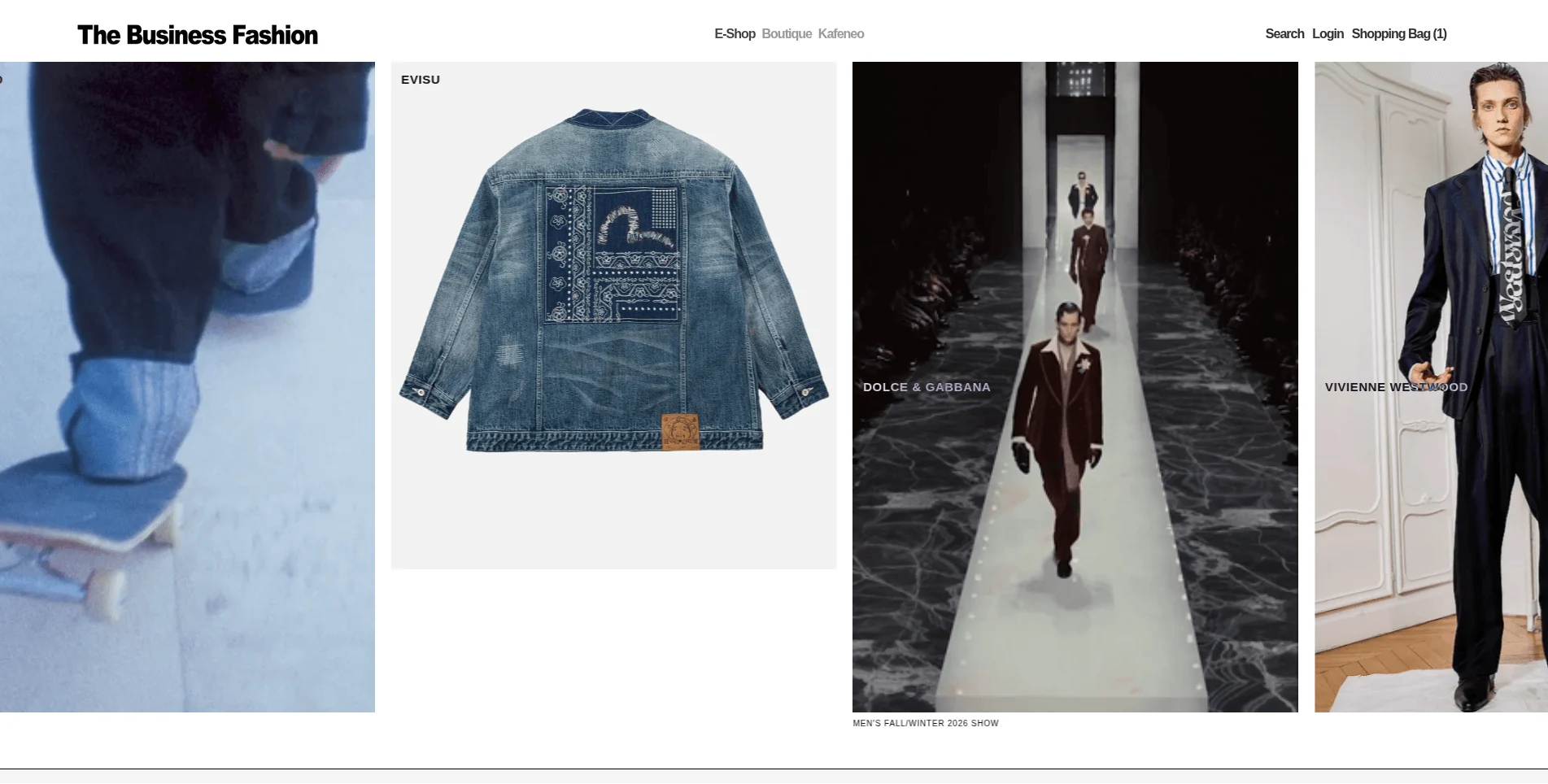
The Business Fashion is a UK luxury multi-brand retailer, in the same category as Farfetch, selling designer menswear online. By the time I got involved, the Shopify store had accumulated a set of real, specific technical debt rather than one big obvious problem: a transparent header that was supposed to adapt its font and logo color to whatever was behind it, but broke badly whenever the mega menu opened, a collection page that loaded its entire product catalog in a single request, causing lag and inconsistent behavior, filters that miscounted once that same catalog started loading progressively, a pricing bug showing the wrong price against certain product variants, and a homepage the internal team couldn’t update without a developer for even small content changes.
What I built
A transparent header that survives a mega menu
The header used mix-blend-mode: difference so its text, logo, and icons would automatically invert against whatever was behind them, white on dark backgrounds, dark on light ones, without needing separate light and dark versions of the header. That works cleanly against a hero image or video. It falls apart the moment a mega menu with its own solid background opens underneath it, since blend-mode difference against a flat panel produces harsh, unpredictable contrast rather than the clean adaptive effect it’s designed for. I fixed this with JavaScript rather than CSS alone, listening for hover and mouse-leave on the dropdown and watching the mobile menu drawer for open/close state changes, and explicitly switching the header into a normal, fixed-color mode whenever a menu panel is actually open, then handing control back to the blend-mode logic once it closes. The same logic had to account for the hamburger icon, the logo image filter, and menu text color together, and be timed so it doesn’t flash unstyled content while the page’s own scripts are still loading.
A homepage the internal team can actually run
I built a three-layer moving text banner as a base layer, with the product photography sitting on top of it responsively, in a custom font the client wanted, and wired the text itself to be editable without touching code. Beyond the banner, I built a custom homepage slider mapped to Shopify’s native section and block editor, so swapping out featured items is a normal admin task rather than a development request, and a custom block that lets GIFs or video get dropped directly into the slideshow boxes, which previously only accepted static images.
A logo animation moving across the banner
I built a left-to-right animated element that moves the client’s own logo across the homepage banner on a loop, adapted from a reference animation the client liked, then went through several rounds of mobile and tablet fixes, centering, icon visibility, text sizing, since what worked on desktop didn’t automatically carry over to smaller viewports.
Collection pages: fixing a catalog that loaded all at once
The collection pages were rendering every product in the catalog on a single page load, which is what was actually causing the lag and inconsistent loading behavior the client was seeing, not a hosting or connection issue. I rebuilt the collection template around Ajaxinate-driven infinite scroll, twelve products at a time, with responsive WebP images and a proper loading state instead of a blank stall, which brought collection page load speed up more than 3x.
Filters that stay accurate under progressive loading
Once products started loading progressively instead of all at once, the filters broke in a specific way: filter options and counts were only ever calculated against whatever had actually loaded into the page so far, not the full collection, so a size or color could show as unavailable simply because its matching product hadn’t scrolled into view yet. I rebuilt the filter logic so it reflects the true totals across the whole collection regardless of how much has loaded, while still keeping each collection page scoped to only the filter options actually relevant to it, rather than showing every variant and color that exists anywhere in the store.
A pricing bug traced to stock, not code
Certain products were displaying a price that didn’t match the variant a customer had actually selected. The root cause turned out to be inventory, not pricing logic: the specific variants that were on sale were out of stock, while the remaining in-stock variants weren’t discounted, so the page was defaulting to whichever variant happened to load first rather than the one selected. I fixed the price display to correctly follow the selected, in-stock variant, which also resolved a related issue where full-price products were appearing inside the Sale collection simply because they still carried a leftover sale tag from an out-of-stock variant.
The Boutique page and a contact form that actually works
I built the store’s Boutique page from scratch, a split layout with video or image on one side and a booking form on the other, capturing date, time, name, email, phone, address, and purpose of visit through Shopify’s native contact form rather than a third-party app. I iterated on the layout so the form and video match height without either looking cramped, shrinking date and time into inline fields to free up more room for the video, and fixed a wrong business address that had been hardcoded into the page.
Diagnosing a load-hang that had nothing to do with the theme
At one point the site took several minutes to become usable, across multiple browsers and devices, with the client understandably assuming it was a theme or code regression. I traced it to a third-party animation library being pulled from an unpinned CDN that was intermittently returning server errors, causing the browser to keep retrying the same failed request rather than giving up and moving on. I replaced that dependency with a Cloudflare-hosted version, which resolved the hang entirely.
An SEO appeal that needed real pages, not popups
Separately, the footer carried five required policy links, Contact, Terms & Conditions, Cookies Policy, Delivery, and Returns, built as JavaScript-triggered offcanvas panels rather than real navigable links, some with no valid href attribute at all. A Google indexing appeal came back rejected over exactly this, the reviewer expected standalone pages reachable by direct navigation, not content that pops up over the current page. I removed the panel behavior from those five links entirely, so each one now navigates straight to its own page, and cleaned up the malformed markup underneath.
What actually changed
| What changed | Before | After |
|---|---|---|
| Header behavior | Broke into harsh contrast when the mega menu opened | Adapts correctly whether a menu panel is open or not |
| Homepage content | Developer-dependent for banner and slider changes | Editable through Shopify’s native block editor |
| Collection page speed | Loaded the entire catalog at once | 3x+ faster, infinite scroll, 12 products at a time |
| Filters | Miscounted once products loaded progressively | Accurate totals across the full collection, scoped to relevant options only |
| Product pricing | Displayed the wrong variant’s price | Correctly follows the selected, in-stock variant |
| Sale collection | Showed full-price products with leftover sale tags | Reflects only genuinely discounted, in-stock variants |
| Boutique page | Didn’t exist | Built, with a working native booking/contact form |
| Site-wide load time | Multi-minute hang from a failing external CDN request | Resolved via a Cloudflare-hosted replacement |
| Footer policy links | JS-intercepted panels, some with no valid href | Direct, navigable links to real pages |
What the client said
“Great progress, by the way! At first look, it looks very consistent.”
- Nick karageorge, The Business Fashion
The engagement
This has run as a standing relationship since December 2024, small, specific tasks taken on as they come up rather than a single fixed-scope project, with fixes ranging from a few hours of CSS and JavaScript to full page builds like the Boutique page.